

Set up portal notifications
Clients of The AI Tool Guys LLC can choose how we tell them about new activity in their private client portal: by email, by text, or both. Texts are off until you turn them on yourself.
What we send
A short notice when there's something new for you in the portal: a message, a shared document, or a document waiting for you to accept it. If you turn texts on, we also text a one-time code when you verify your mobile number. We never send marketing texts. For example:
- The AI Tool Guys: you have a new message from ATG. Open your portal: https://theaitoolguys.com/portal Reply STOP to opt out.
- The AI Tool Guys: your code is 123456. It expires in 10 minutes. Reply STOP to opt out.
- The AI Tool Guys LLC: you're signed up for portal activity texts. Msg frequency varies. Msg & data rates may apply. Reply HELP for help, STOP to opt out.
How often depends on the activity in your portal. You can set quiet hours, and anything that arrives during them waits until they end.
The Notifications page
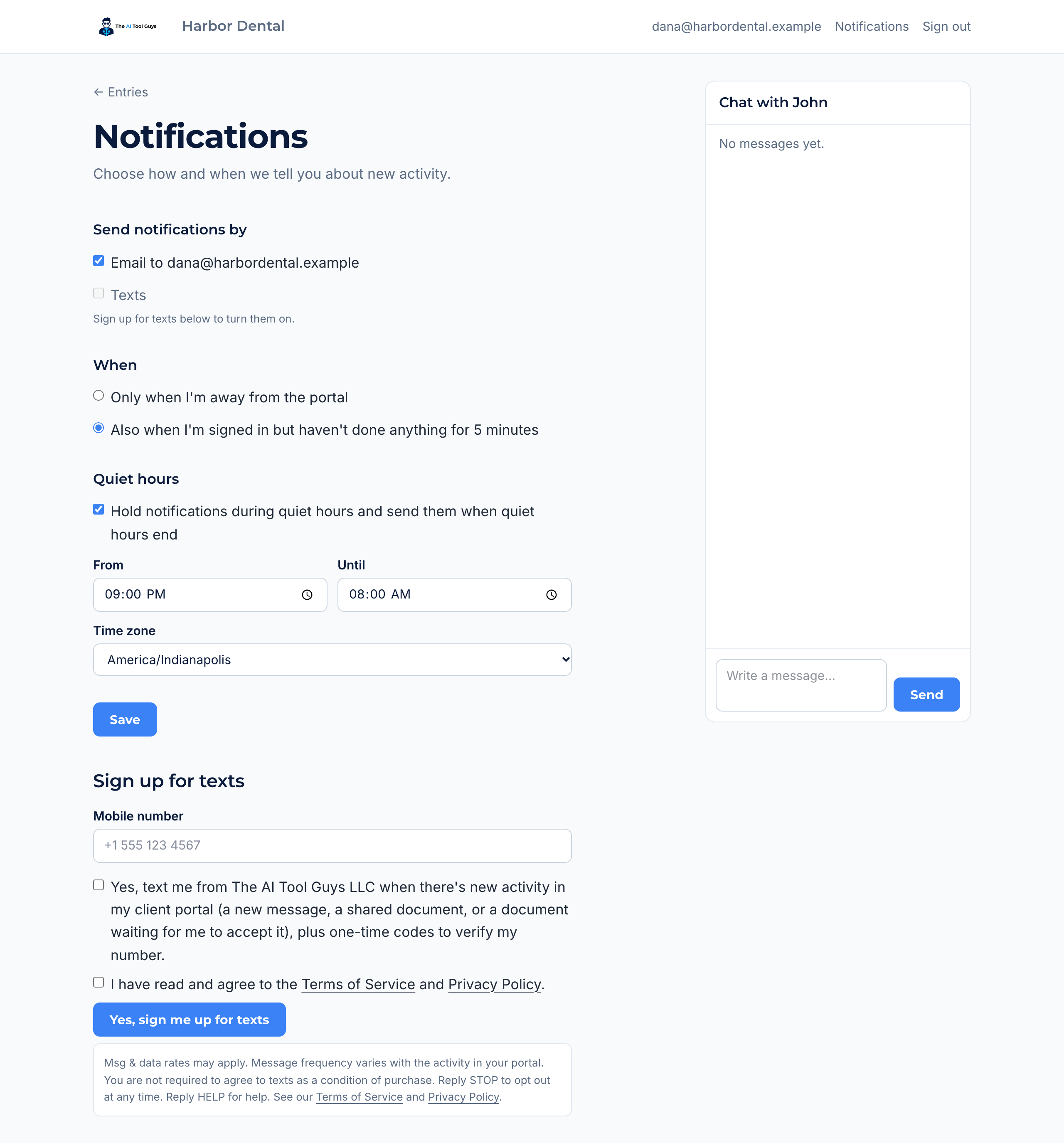
Sign in to your portal and choose Notifications in the top bar. Email is on from the start. Texts stay greyed out until you sign up for them under Sign up for texts, where neither consent box is ticked for you.
Turning on texts
Step 1
Fill in the sign-up form
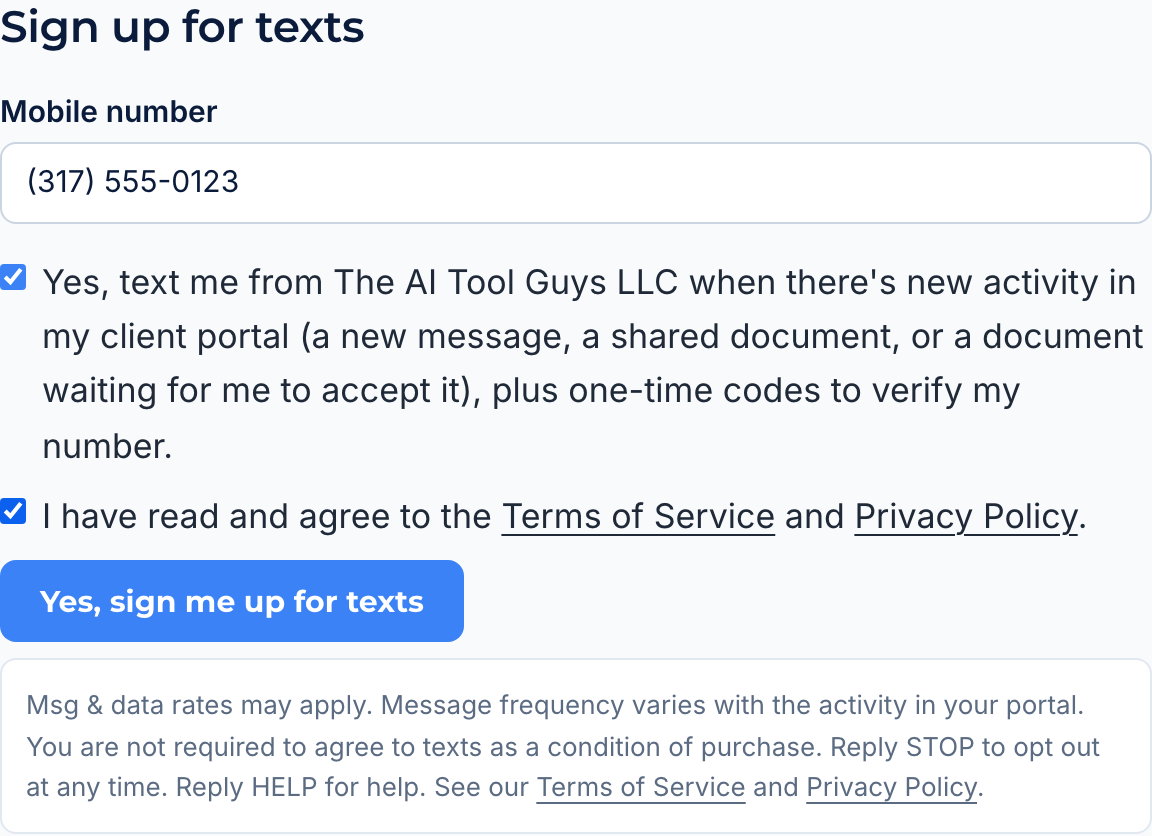
Under Sign up for texts, type your mobile number, then tick both boxes yourself. They are separate, and neither is ticked for you:
- Yes, text me from The AI Tool Guys LLC when there's new activity in my client portal (a new message, a shared document, or a document waiting for me to accept it), plus one-time codes to verify my number.
- I have read and agree to the Terms of Service and Privacy Policy.
Then choose Yes, sign me up for texts. Under the button the form says:
Msg & data rates may apply. Message frequency varies with the activity in your portal. You are not required to agree to texts as a condition of purchase. Reply STOP to opt out at any time. Reply HELP for help. See our Terms of Service and Privacy Policy.
Step 2
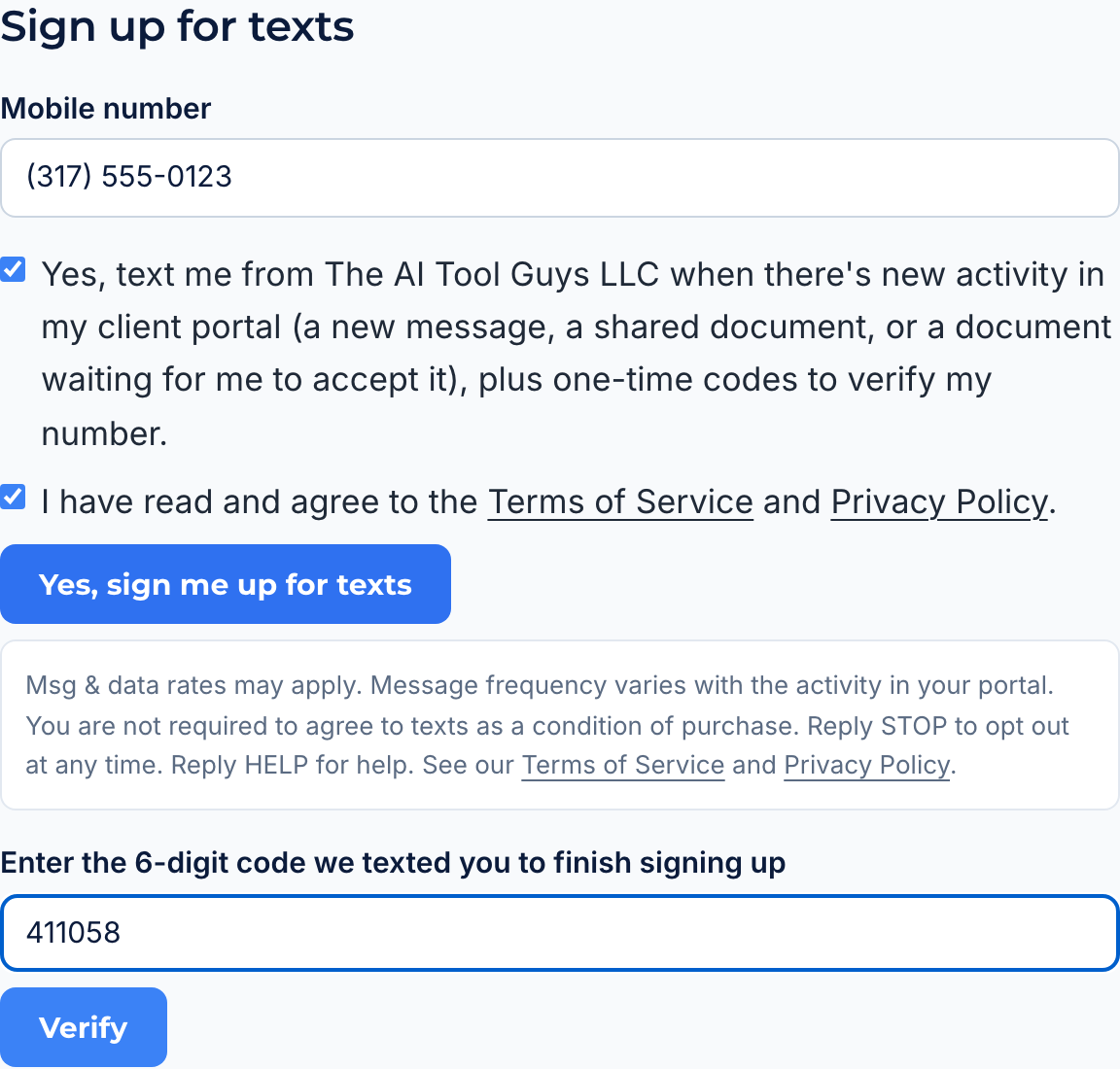
Enter the code we text you
We text a 6-digit code to the number. Type it in and choose Verify. The code expires after 10 minutes.
Step 3
You're signed up
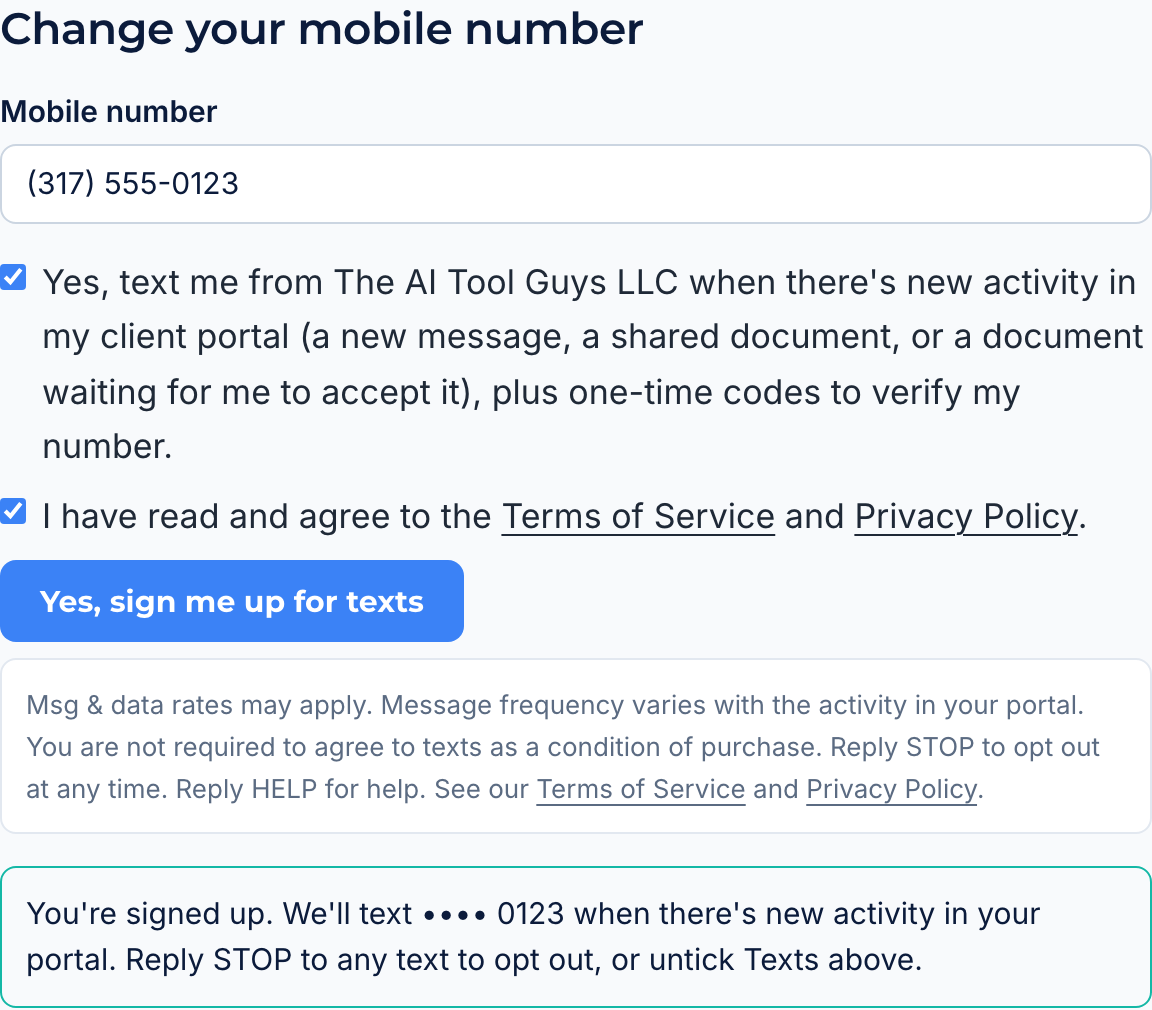
Texts are now on, and the page confirms it:
You're signed up. We'll text •••• 0123 when there's new activity in your portal. Reply STOP to any text to opt out, or untick Texts above.
We also text you once to confirm:
The AI Tool Guys LLC: you're signed up for portal activity texts. Msg frequency varies. Msg & data rates may apply. Reply HELP for help, STOP to opt out.
Stopping texts
Reply STOP to any text, or untick Texts on the Notifications page and save. To start again after replying STOP, reply START. Reply HELP for help. Message and data rates may apply.
We do not sell or share your SMS opt-in data or personal information with third parties for marketing purposes. The full terms are in the SMS Terms section of our Terms of Service, and how we handle your number is in our Privacy Policy.